 sciBASIC#
↖
sciBASIC#
↖
06 Tutorial — Orthogonal layout
Wire a synthetic network into a clean orthogonal schematic with the HOLA layout engine.
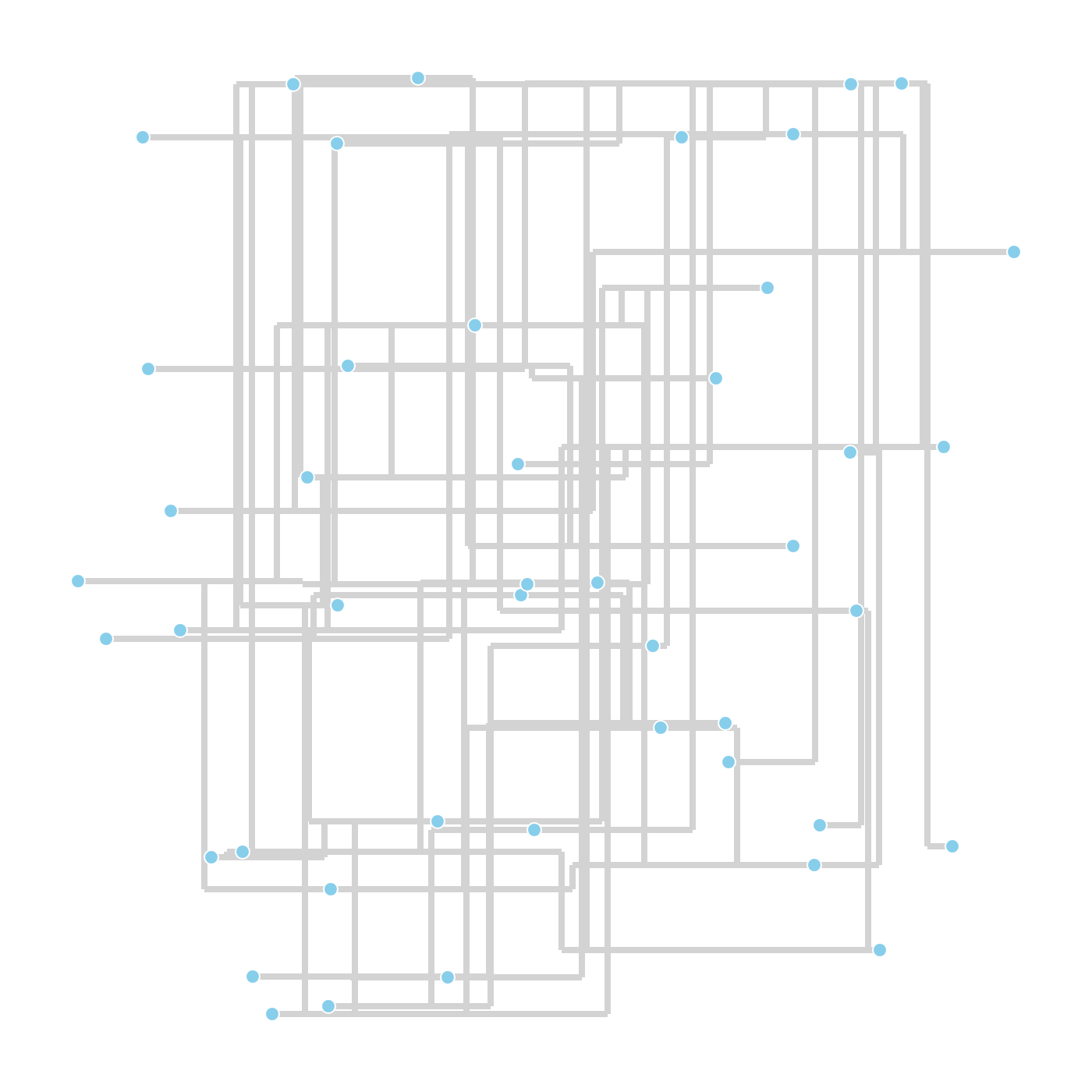
Layout algorithms are easiest to trust on a graph you can count. This demo builds a deliberately tangled test network — a 5 × 4 mesh, a 12-node chain anchored across it, a seven-leaf star and an isolated five-ring — scatters all vertices at fixed-seed random positions, and hands the mess to the HOLA orthogonal layout engine. The result is rendered through NetworkVisualizer with edge bends enabled, straight into a 1400 × 1400 PNG.
02 Pipeline
A tangled graph, then a clean schematic
Build
A 5 × 4 mesh, a 12-node chain, a 7-leaf star and a 5-node ring are assembled on
NetworkGraph with AddNode / AddEdge.
Tangle
Cross-links between mesh corners and row spans are added on purpose, and every vertex starts at a
random position (Random(12345)) so the layout has real work to do.
Layout
HOLA.DoLayout(g) iterates the human-like orthogonal algorithm: remove edge crossings,
align parallel segments and fold the remaining overlaps.
Render
NetworkVisualizer.DrawImage draws a 1400 × 1400 canvas with
drawEdgeBends:=True — every orthogonal bend point becomes visible polyline geometry.
Report
The script counts nodes, edges and bend-carrying edges from the laid-out graph and echoes them to the console before saving the PNG.
01 The Script
Full demo source
The complete script exactly as executed by the sciBASIC# script engine (vbs.exe) — nothing elided.
#include "Microsoft.VisualBasic.Data.visualize.Network.Visualizer.dll"
#include "Microsoft.VisualBasic.Data.visualize.Network.Layouts.dll"
#include "Microsoft.VisualBasic.Data.visualize.Network.dll"
#include "Microsoft.VisualBasic.Drawing.dll"
#include "Microsoft.VisualBasic.Data.GraphTheory.dll"
#include "Microsoft.VisualBasic.Imaging.dll"

imports microsoft.visualbasic.drawing
Imports Microsoft.VisualBasic.Data.visualize.Network
Imports Microsoft.VisualBasic.Data.visualize.Network.Graph
Imports Microsoft.VisualBasic.Data.visualize.Network.Layouts
Imports Microsoft.VisualBasic.Data.visualize.Network.Layouts.Orthogonal
Imports Microsoft.VisualBasic.Data.visualize.Network.Layouts.Hola
Imports inode = Microsoft.VisualBasic.Data.visualize.Network.Graph.Node

' ---------------------------------------------------------------------------
' HOLA orthogonal layout demo
'
'   Build a deliberately messy network (grid + chain + star + an isolated ring)
'   and run the HOLA layout on it, then render the result to a PNG.
'
'   The script exercises crossing removal, edge alignment and overlap removal,
'   and prints the final node/edge/bend statistics.
'
'   Run:
'       vbs.exe tutorials\VBS\hola_layout\hola_layout.vb
' ---------------------------------------------------------------------------

Dim g As New NetworkGraph
Dim rnd As New Random(12345)

' Use fixed-seed random scatter points as the HOLA starting positions, so the
' crossing-removal / alignment / overlap-removal effect stands out
public function rndPos() as FDGVector2
    return New FDGVector2(rnd.NextDouble() * 1000.0, rnd.NextDouble() * 1000.0)
End function

public sub addNode(label As String)
    Call g.AddNode(New inode With {
        .label = label,
        .data = New NodeData With {
            .initialPostion = rndPos(),
            .size = {18, 18}
        }
    })
End Sub

' === 1) Grid block: 5 x 4 = 20 nodes ===
Dim rows = 5, cols = 4
Dim grid(rows - 1, cols - 1) As String
Dim nodeId = 0
For r As Integer = 0 To rows - 1
    For c As Integer = 0 To cols - 1
        Dim id = "n" & nodeId
        grid(r, c) = id
        addNode(id)
        nodeId += 1
    Next
Next
' Row/column adjacency edges
For r As Integer = 0 To rows - 1
    For c As Integer = 0 To cols - 1
        If c + 1 < cols Then Call g.AddEdge(grid(r, c), grid(r, c + 1))
        If r + 1 < rows Then Call g.AddEdge(grid(r, c), grid(r + 1, c))
    Next
Next
' Cross-row / cross-column edges, deliberately creating crossings
Call g.AddEdge(grid(0, 0), grid(4, 3))
Call g.AddEdge(grid(0, 3), grid(4, 0))
Call g.AddEdge(grid(1, 1), grid(3, 2))
Call g.AddEdge(grid(2, 0), grid(2, 3))

' === 2) Chain structure with 12 nodes; both ends attach to the grid block to create long crossing edges ===
Dim chain(11) As String
For i As Integer = 0 To 11
    chain(i) = "c" & i
    addNode(chain(i))
Next
For i As Integer = 0 To 10
    Call g.AddEdge(chain(i), chain(i + 1))
Next
' Attach the two chain ends to opposite grid corners to create long cross-graph edges
Call g.AddEdge(chain(0), grid(0, 0))
Call g.AddEdge(chain(11), grid(4, 3))

' === 3) Star structure: 1 hub + 7 leaves; the hub connects to the grid block ===
Dim hub = "hub"
Call addNode(hub)
Call g.AddEdge(hub, grid(2, 1))   ' attach the hub to the centre of the grid block
For i As Integer = 0 To 6
    Dim leaf = "leaf" & i
    Call addNode(leaf)
    Call g.AddEdge(hub, leaf)
Next

' === 4) Independent 5-node ring component, verifying that separate components are not wrongly connected ===
Dim ring = {"r0", "r1", "r2", "r3", "r4"}
For Each rn In ring
    Call addNode(rn)
Next
For i As Integer = 0 To ring.Length - 1
    Call g.AddEdge(ring(i), ring((i + 1) Mod ring.Length))
Next

' === Run the HOLA layout ===
Call HOLA.DoLayout(g)

' Count nodes, edges and edges that received orthogonal bends
Dim nodeCount = 0
For Each n As inode In g.connectedNodes
    nodeCount += 1
Next
Dim totalEdges = 0, bendCount = 0
For Each e As Edge In g.graphEdges
    totalEdges += 1
    If e.data.bends IsNot Nothing AndAlso e.data.bends.Length > 0 Then
        bendCount += 1
    End If
Next

console.WriteLine($"=== HOLA complex network: {nodeCount} nodes, {totalEdges} edges, {bendCount} edges with bends ===")

' Render to PNG (enlarge the canvas to hold more nodes; enable drawEdgeBends to
' display the orthogonal bend points)
Call SkiaDriver.Register()
Call NetworkVisualizer.DrawImage(g, "1400,1400",
                                 displayId:=False,
                                 drawEdgeBends:=True,
                                 labelerIterations:=-1,
                                 minLinkWidth:=8) _
    .Save(here("HOLA_complex_layout.png"))

console.WriteLine("[HOLA] complex test done. see ./HOLA_complex_layout.png")
03 Results
The orthogonal schematic